Your whole restaurant, in one piece of software.
The till, ordering and payment at the table, the kitchen screen, stock, your team and your accounts work together: on the tablets and screens you already own.
4,900 DA excl. VAT per 4-week period · No commission on your sales · No commitment
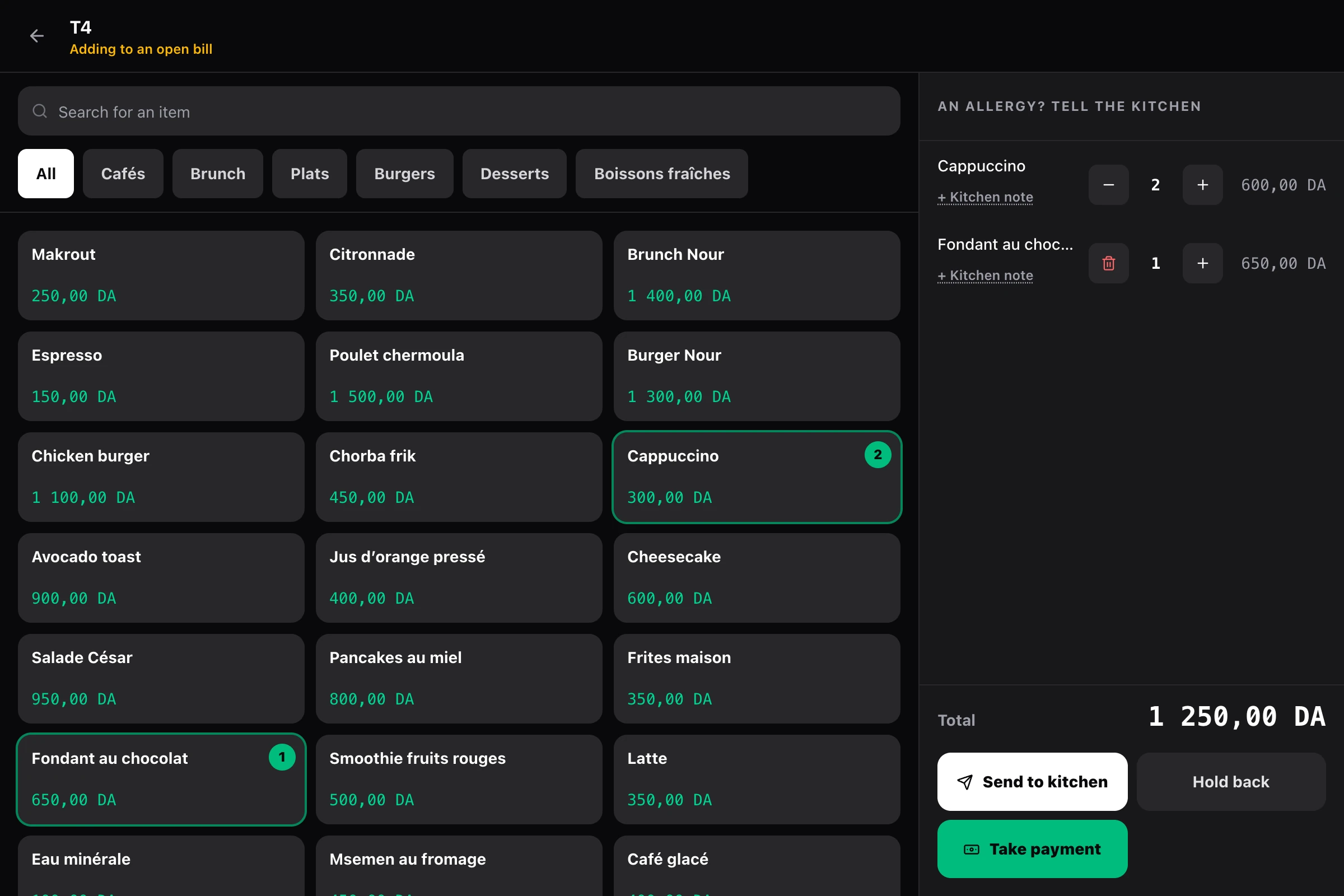
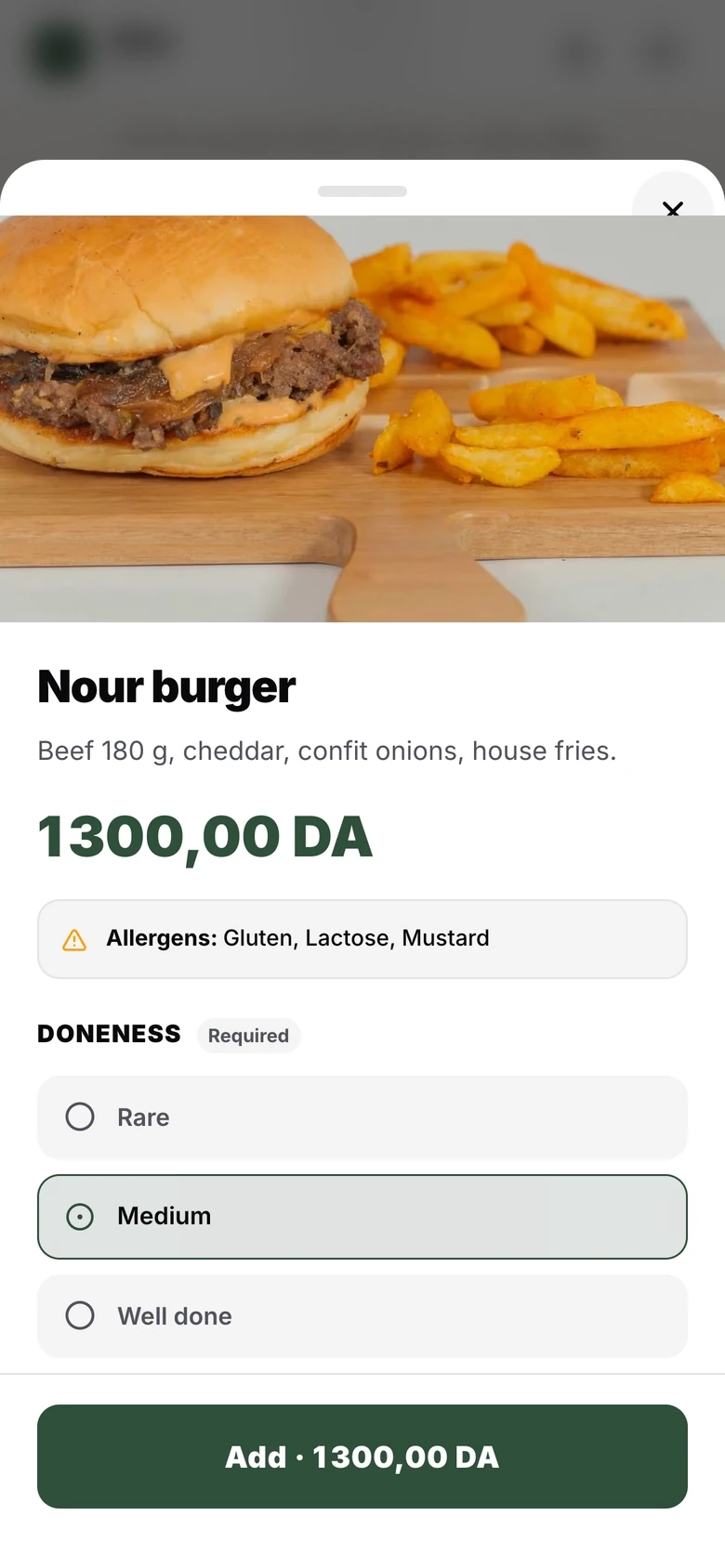
- A till on an Android tablet or in a browser, which keeps taking payments when the internet goes down
- Your guests order and pay at the table by CIB or EDAHABIA card, without installing anything
- A tamper-proof register and a signed Z report every night: article 51 bis of the CTCA, handled for you
One full service, in thirty seconds.
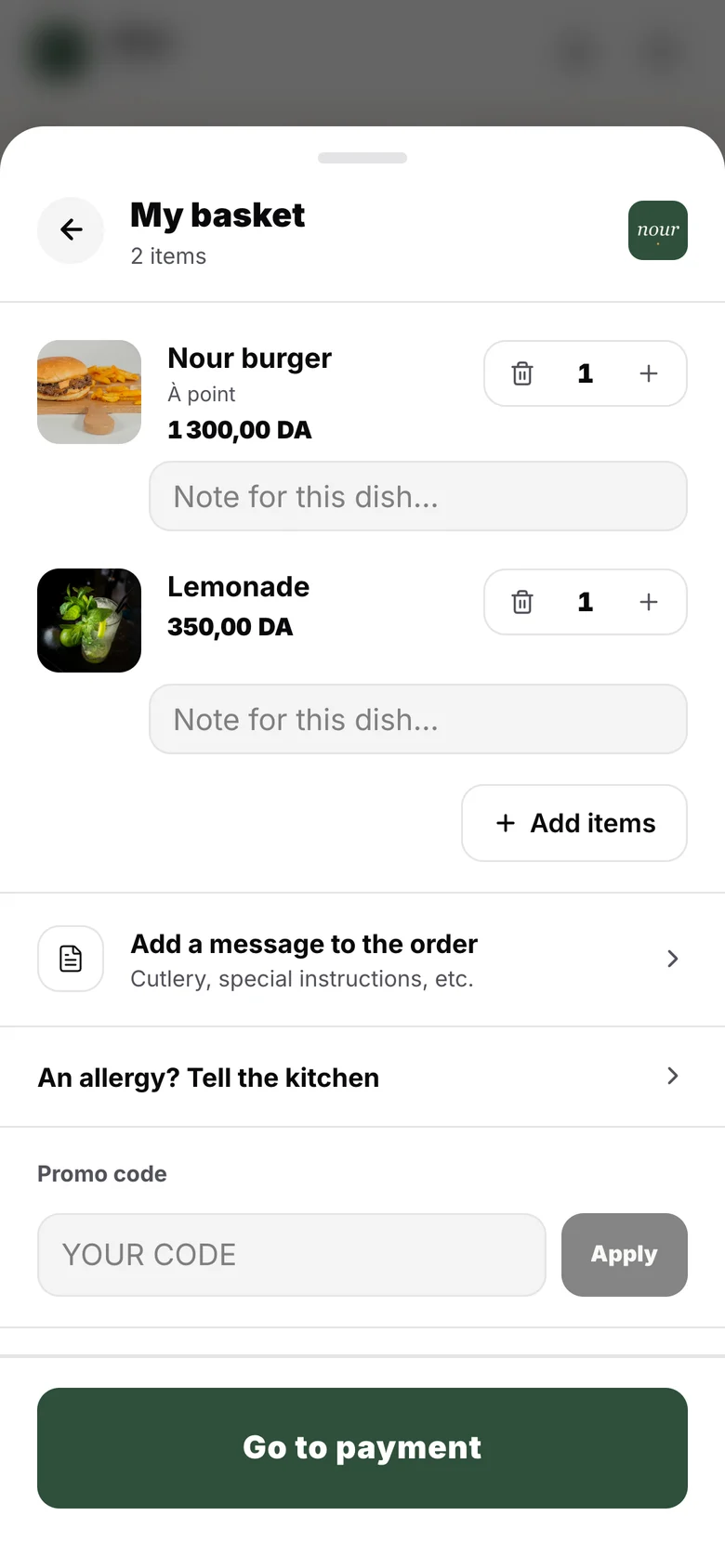
The product's real screens, filmed on a demo restaurant: table ordering, the till, the kitchen, the receipt and your figures.
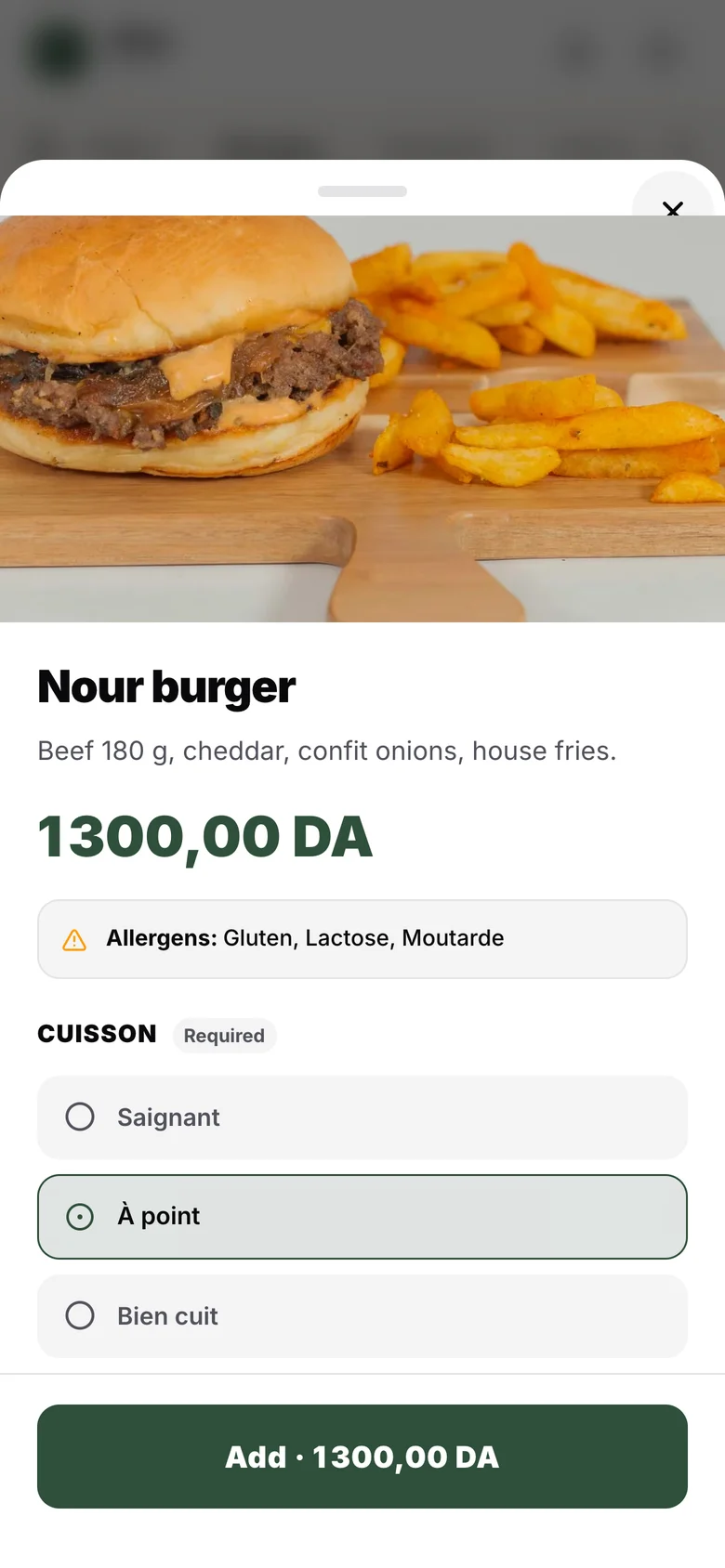
Silent video. A guest orders from their table on their phone, in Arabic, French or English: the menu, a medium burger, the basket. At the till, the floor plan shows the open tables; table T4's bill is opened and two cappuccinos and a chocolate fondant are added. The kitchen sees every ticket, station by station. The receipt carries its sequence number and fingerprint, as required by article 51 bis of the CTCA. The dashboard shows today's sales, food cost and prime cost, then the margin on each dish.
Software for the whole restaurant, not just for ordering.
The till, the dining room, the kitchen and the back office share the same menu, the same sales and the same team. Nothing to re-enter from one tool to the next, no paid add-ons: everything below is included from day one.
The till
A till that doesn’t let you down mid-service.
On an Android tablet or in a browser. Open tabs per table, table transfers and merges, bill splitting, cash, card and gift card.
Learn moreSilent video of the Alcess till on a tablet. From the floor plan, table T1 is opened and the order taken: a cappuccino, a medium Burger Nour. The order goes to the kitchen. In “To be paid”, the table pays by card on the bank terminal; the till confirms the payment and shows the receipt, with its number, VAT, payment method and the fingerprint required by art. 51 bis of the CTCA.
Ordering and payment at the table
Every table orders at once, without waiting for a waiter.
Guests scan their table’s QR code, order in their own language and pay by CIB or EDAHABIA card, or pay at the counter if you prefer.
Learn more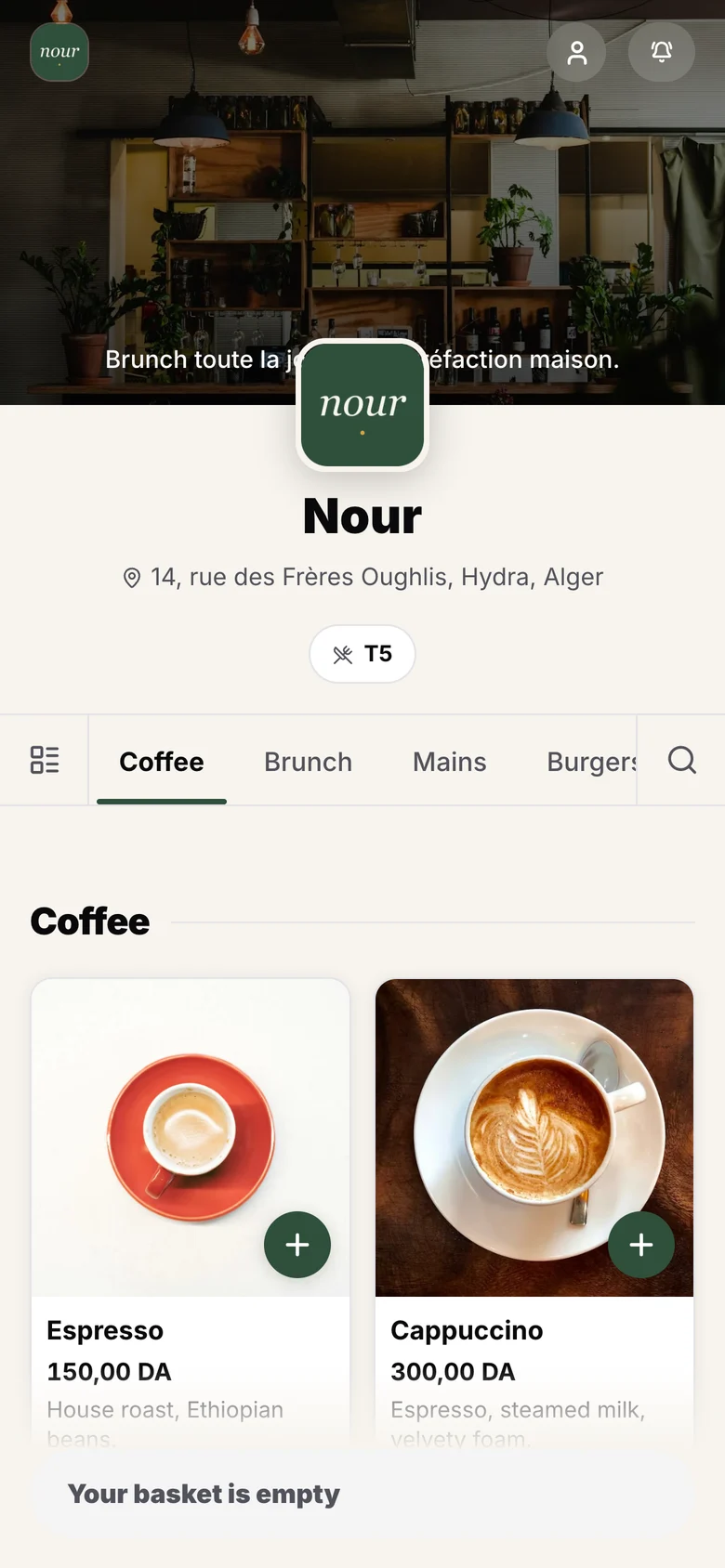
The kitchen
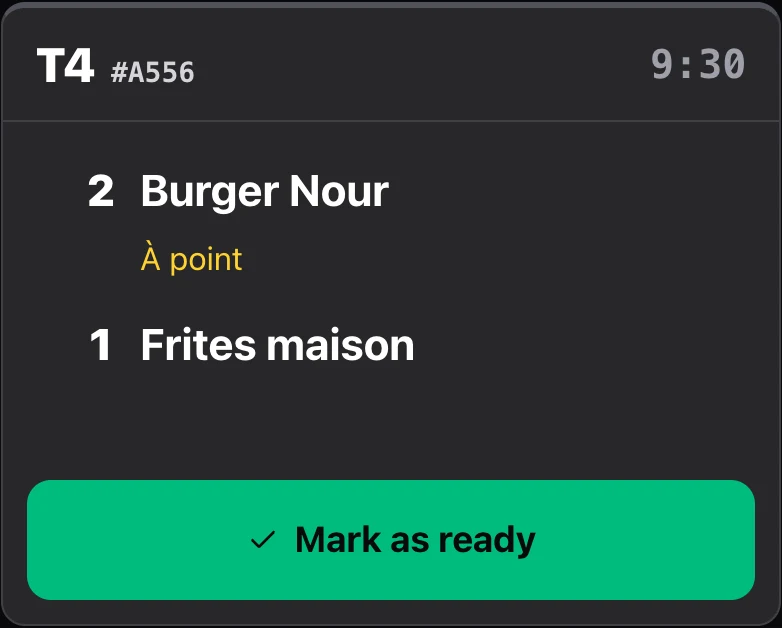
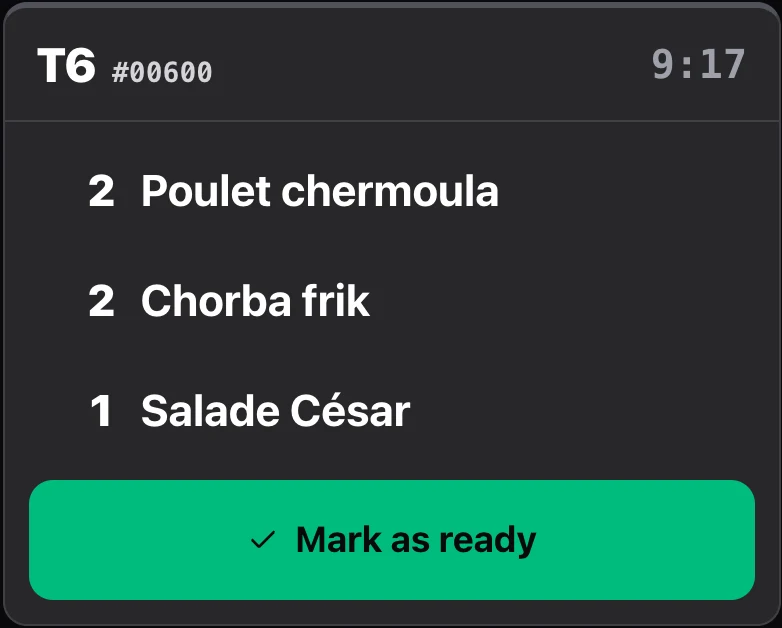
No more lost tickets or orders shouted across the room.
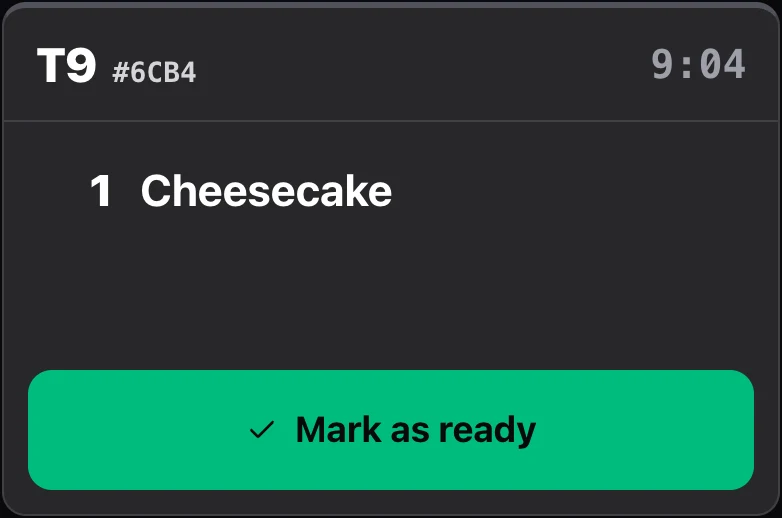
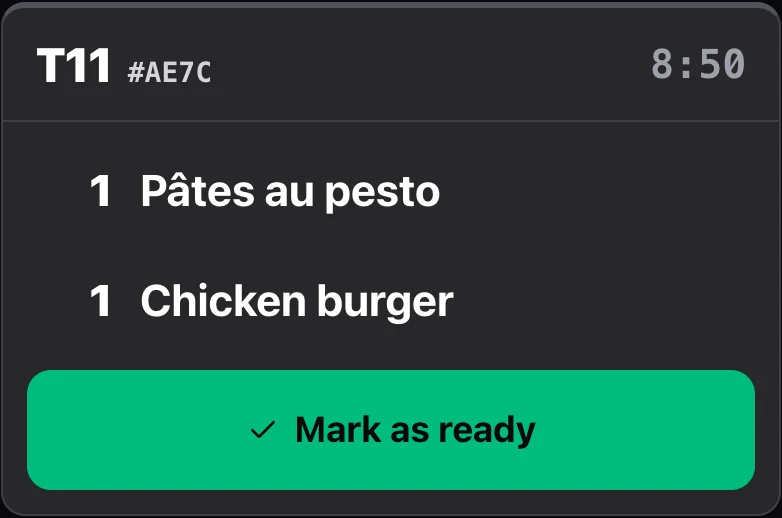
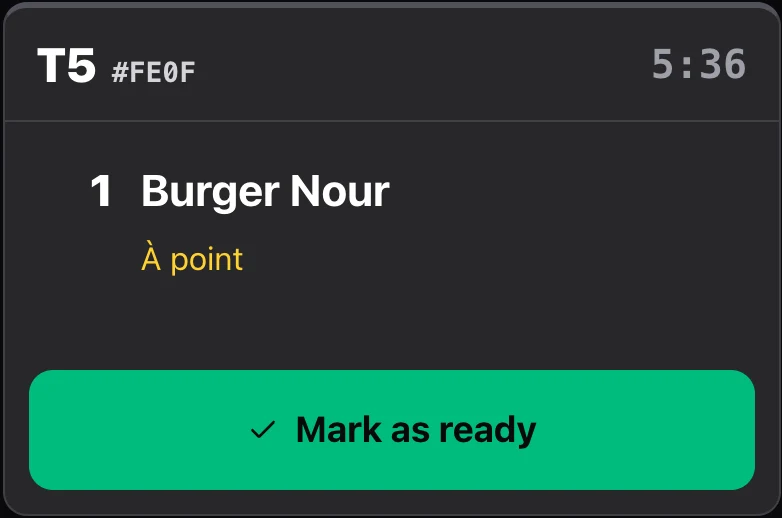
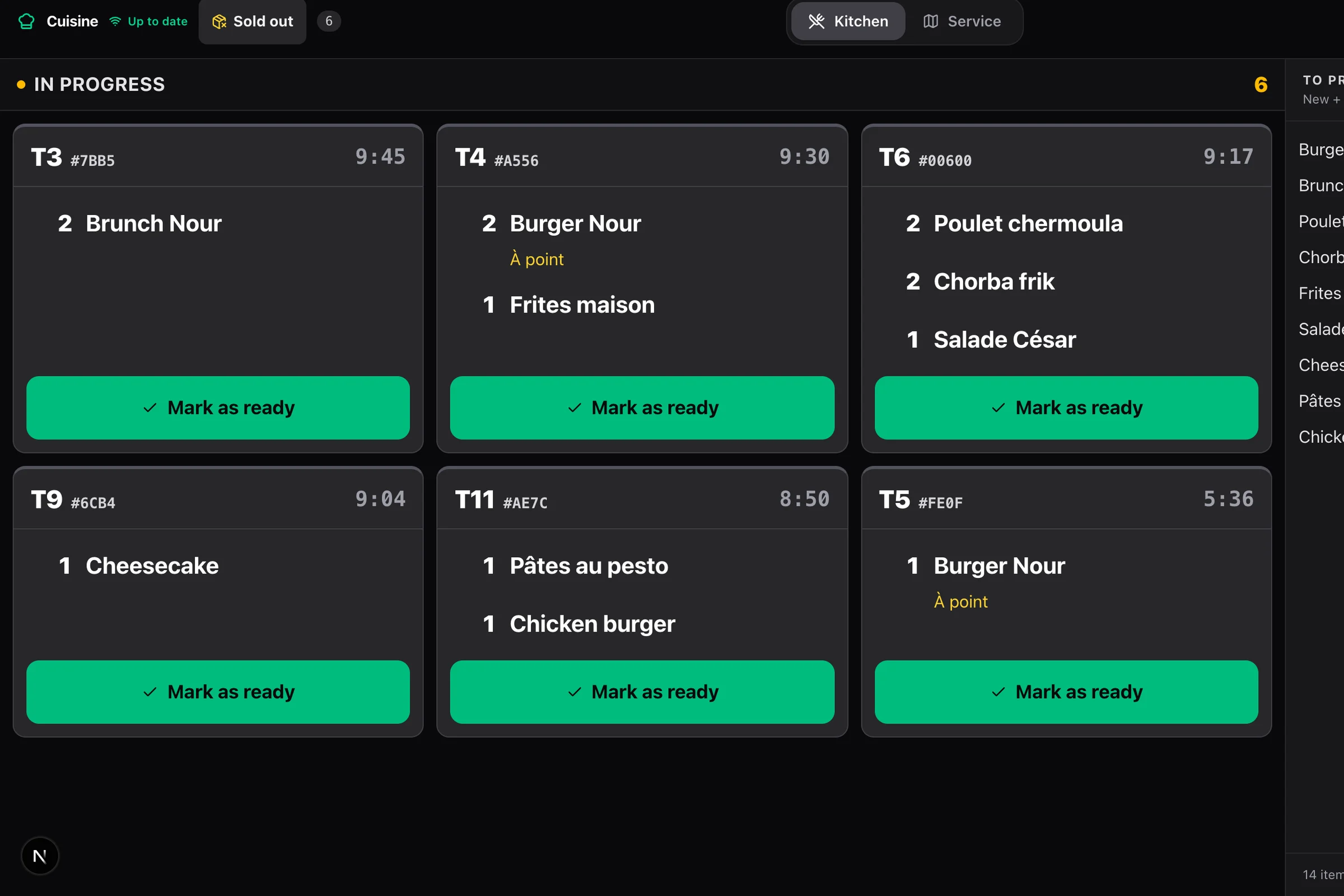
One screen per station: hot, cold, bar. Tickets arrive live, whether they come from the till or the QR code.
Learn more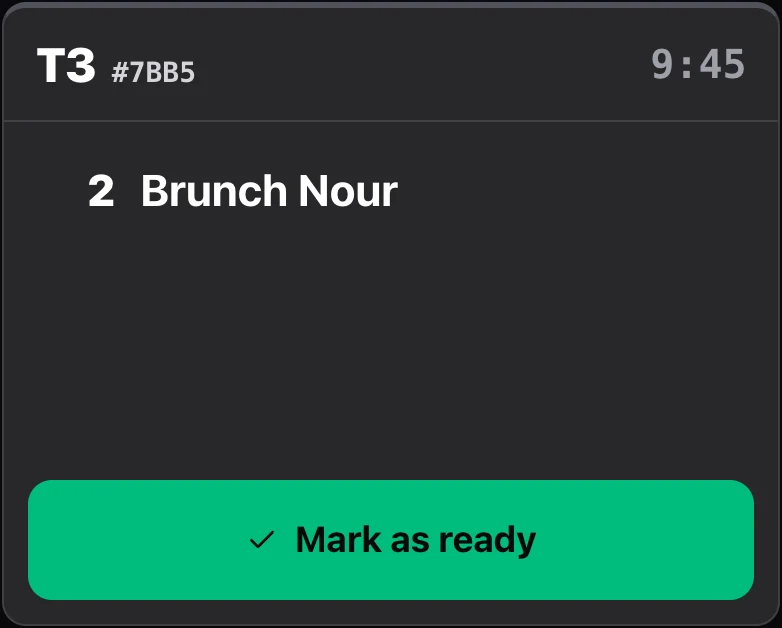
Stock and food cost
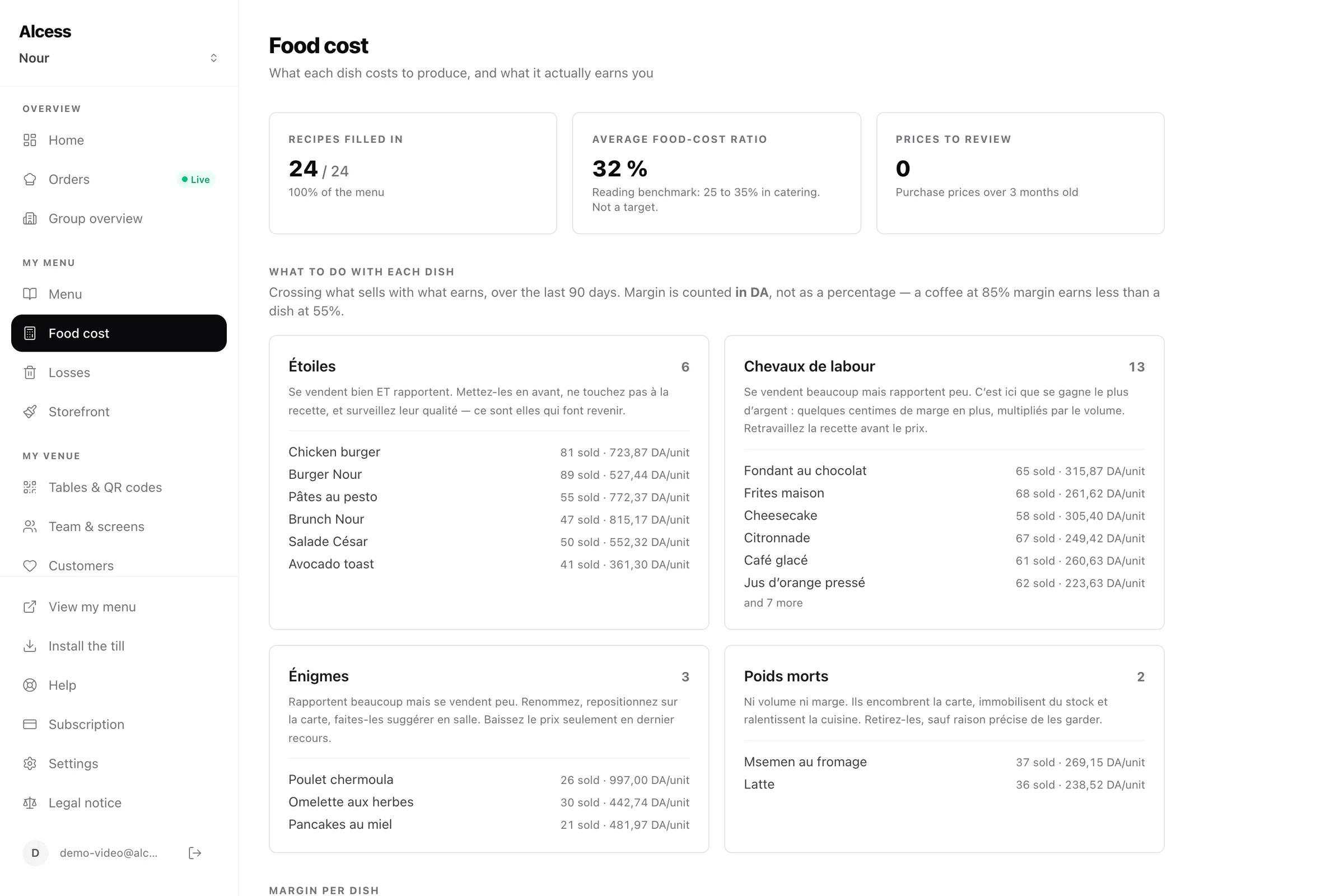
You know what each dish really earns you.
A recipe card for each dish: stock goes down with every sale, and food cost calculates itself.
Learn moreYour team
Who did what, and for how many hours: no notebook.
Everyone has their own permissions, box by box: servers take payments, only the manager refunds or takes cash out of the drawer.
Learn more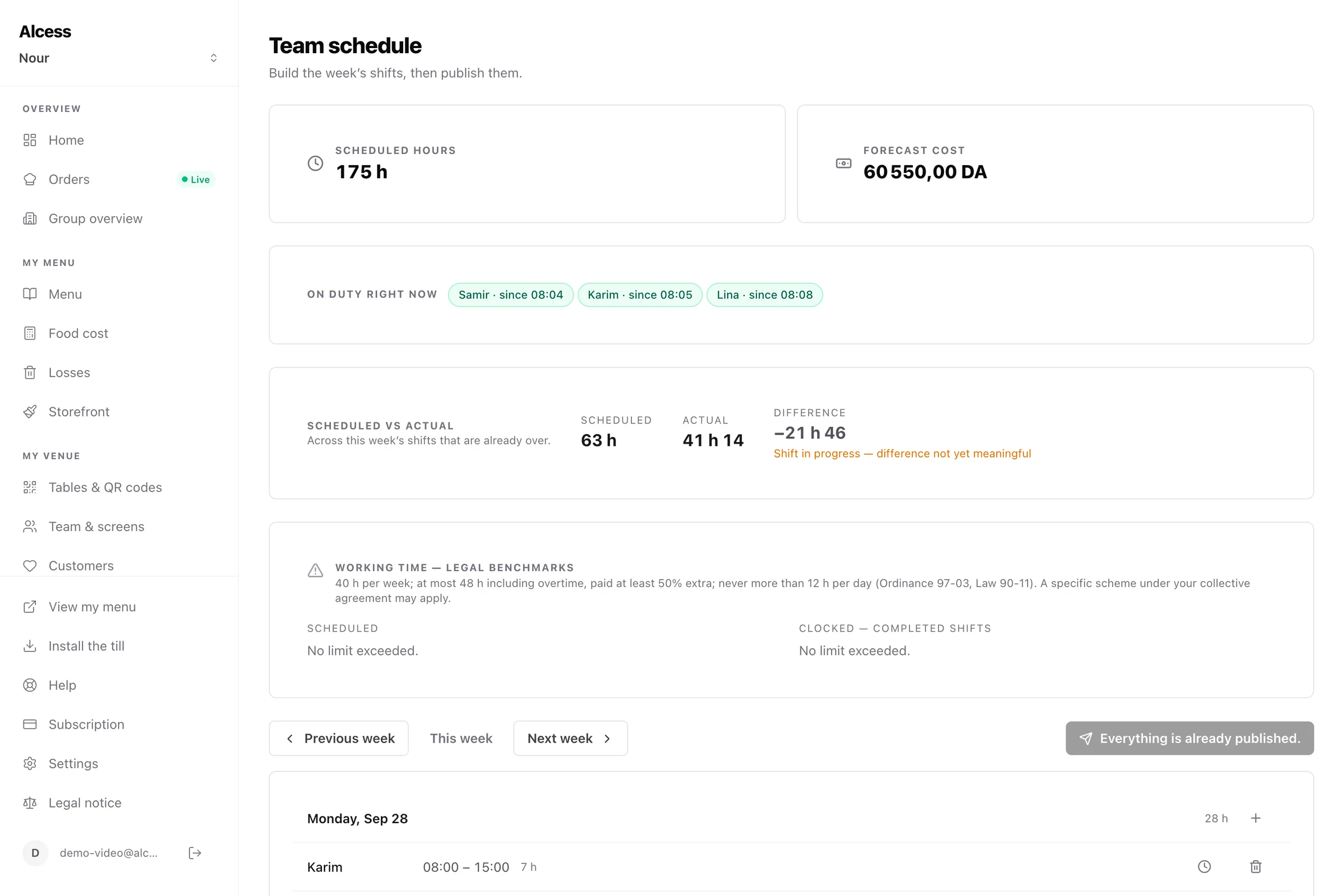
Management
You run the service without waiting for closing time.
Live turnover, and above all what it costs you: food, staff, and the prime cost that combines them.
Learn more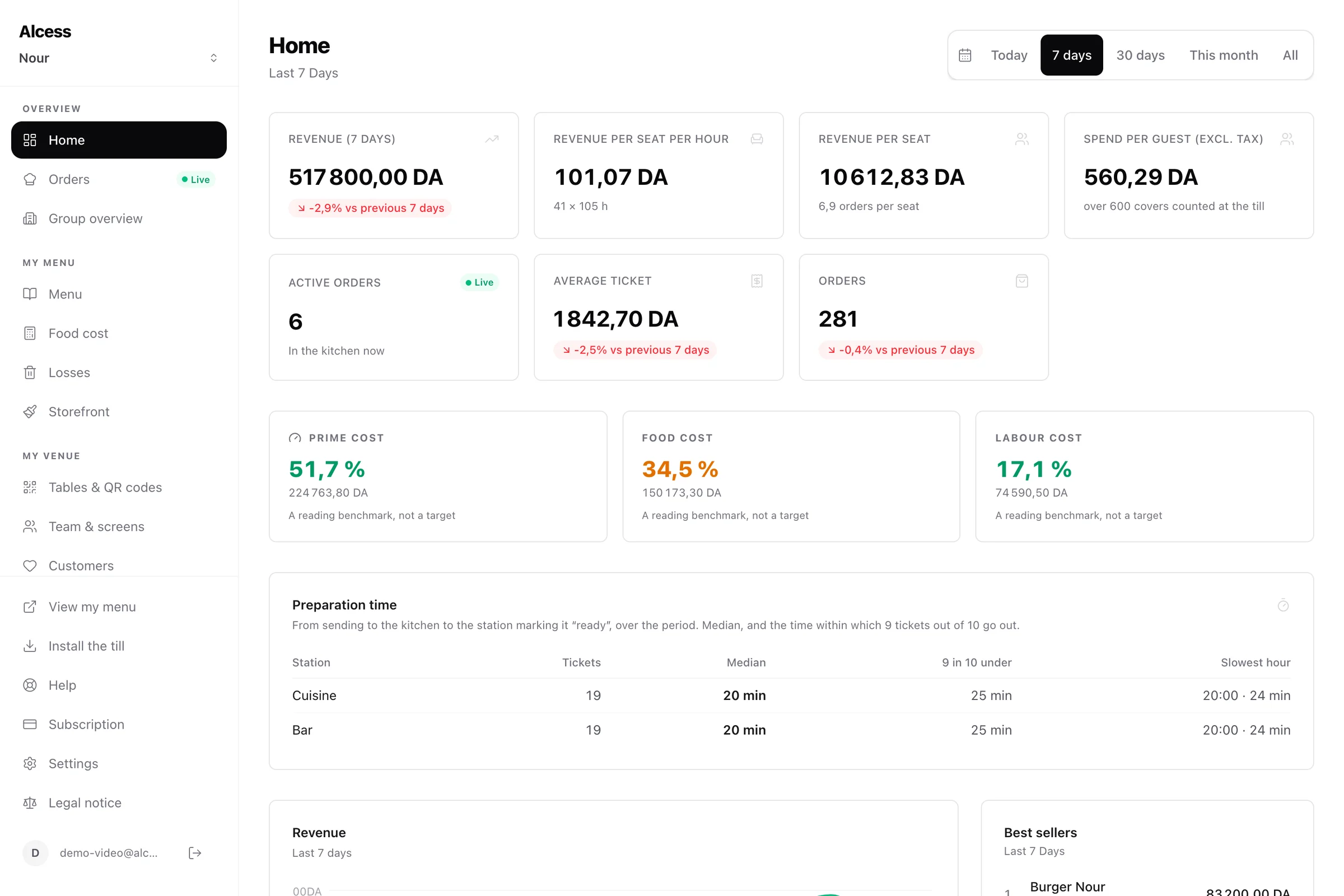
Compliance and accounting
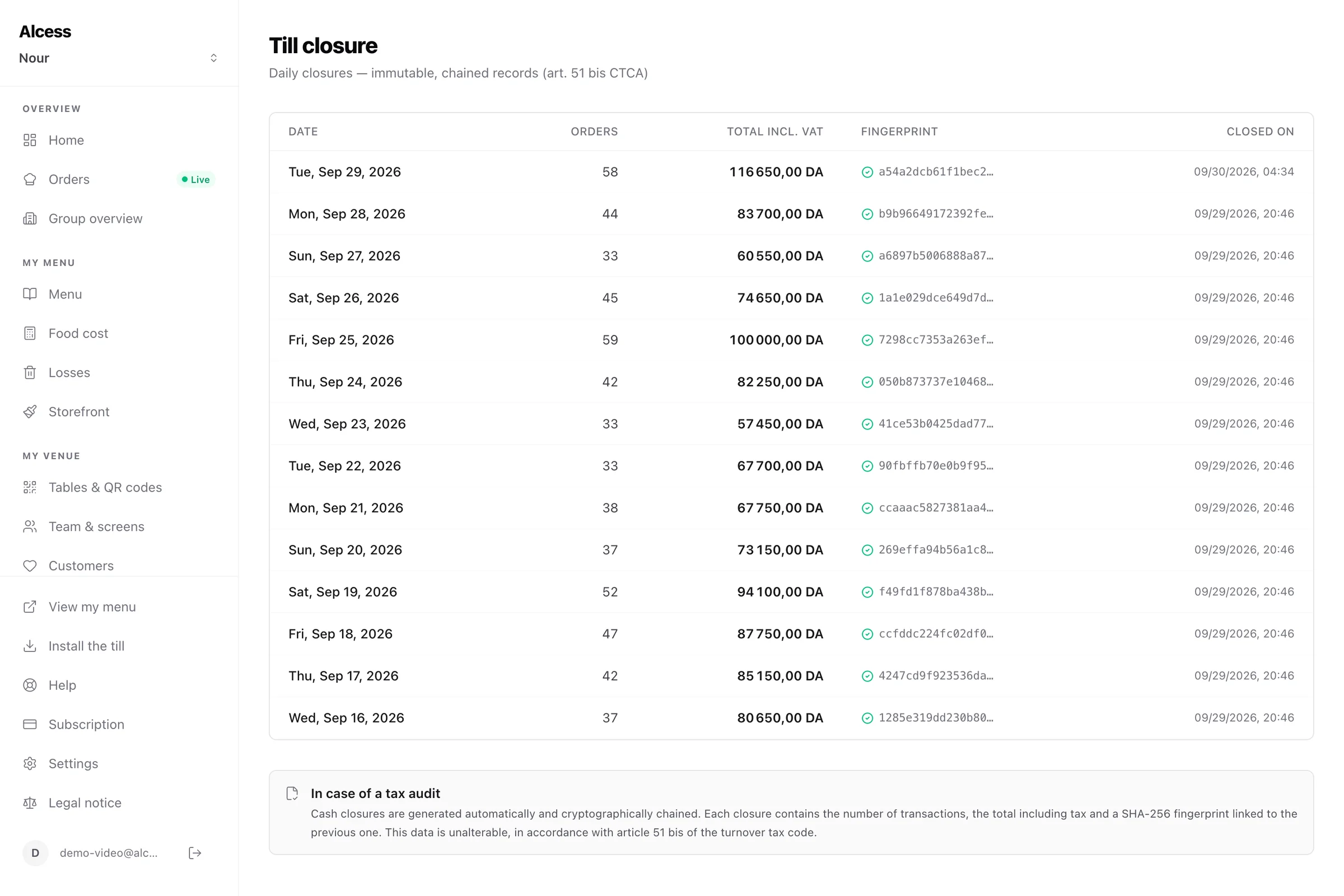
Your accountant gets figures ready to use.
Every sale gets a number and a chained signature: the register is tamper-proof, as article 51 bis of the CTCA requires.
Learn moreSeveral venues
One account for your whole brand.
Up to ten venues under one account, each with its own till, payment account and Z reports.
Learn more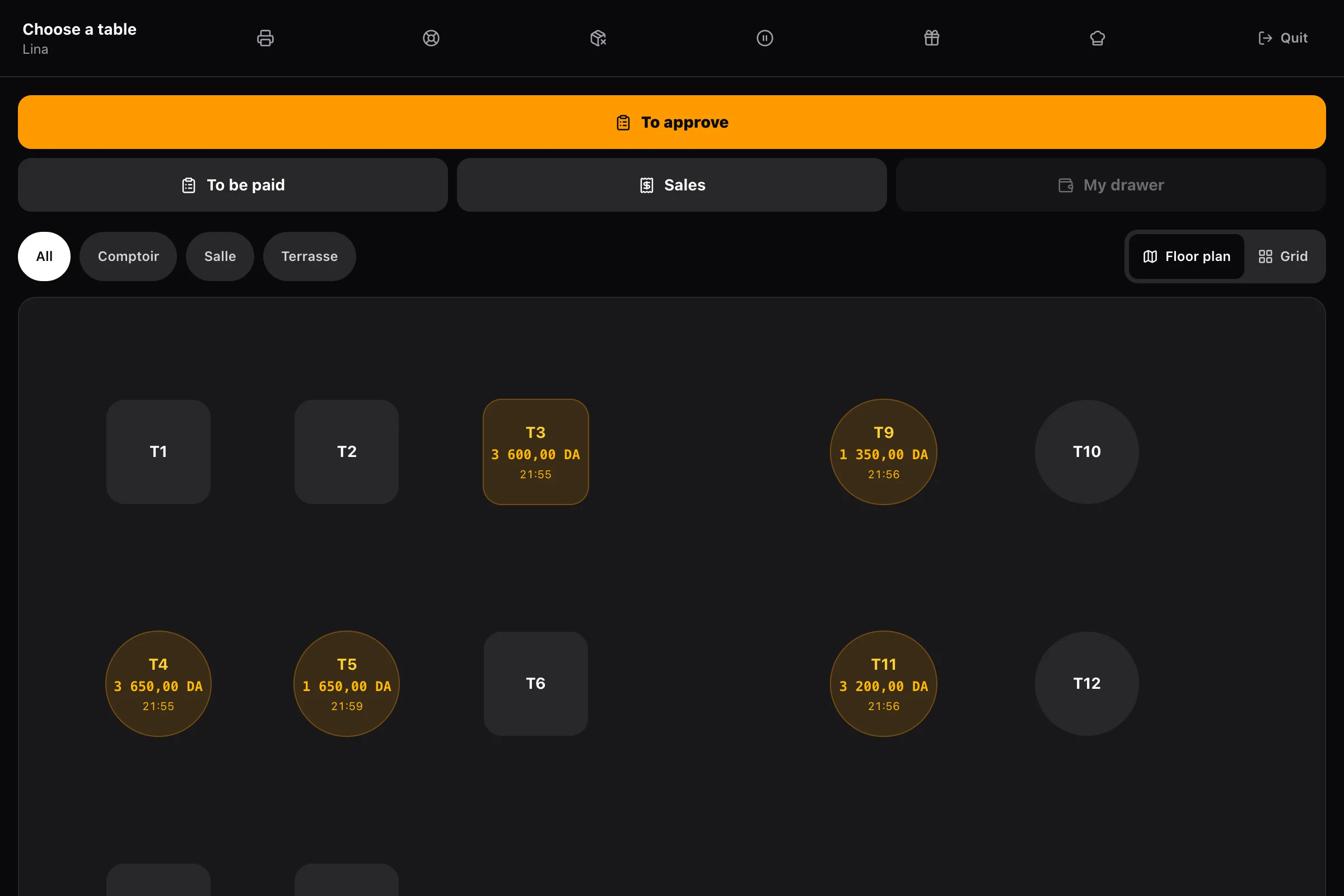
Everything included, from day one
The till
- Keeps taking payments when the internet goes down, and sends everything once it’s back
- Prints the receipt and opens the drawer: USB, network, Bluetooth or serial cable
- Every team member has a code; a discount or refund requires the manager’s
- Opening float, blind cash count, discrepancy recorded at the end of service
Ordering and payment at the table
- A menu that looks like you: photos, options, set menus, allergens, translations
- Tips, promo codes and a loyalty programme
- Live order tracking and a call-the-waiter button
- Orders paused in one tap when the kitchen is swamped
The kitchen
- One tap marks a ticket ready, and a recall undoes a mistake
- Allergies in red, at the top of the ticket
- Course-by-course firing: the main goes when the starter is served
- Tickets printed at the pass, a pickup screen for ready orders
Stock and food cost
- Suppliers, purchase orders, and deliveries that update stock and prices
- A dish or a whole category taken off the menu mid-service
- Waste recorded with its cause: unsold, breakage, staff meals
- Stock-count discrepancy, valued in dinars
Your team
- Clock-in at the till, in a record nobody can rewrite
- Weekly schedule, leave and shift swaps
- Alert beyond 40 hours a week or 12 hours in a day
- Tips shared and paid out, sales per team member
Management
- Average ticket, spend per guest, dining-room yield
- Best sellers and margin dish by dish
- Preparation time per station, and the hour the kitchen slows down
- On your phone as well as your computer
Compliance and accounting
- A signed Z report every night, even on a day without sales
- VAT broken down by rate, stamp duty calculated on cash
- A refund produces a numbered credit note: nothing is ever erased
- Exports for your accountant and a tax archive
Several venues
- An overview, each venue compared with the others
- Menus copied from one venue to another, recipes included
- Separate teams: a manager only acts within their own venue
- −20% on your second venue
Your service, before and after.
The gain isn’t technological, it’s operational: less waiting in the dining room, fewer mistakes in the kitchen, fewer notebooks at night.
Taking the order
Before: A queue at the counter, one guest at a time
After: Tables order at the same time from their phones
The internet goes down
Before: The till stops, orders go into a notebook
After: The till keeps going; everything is sent once the network is back
Passing orders to the kitchen
Before: Shouted or on paper, then re-entered
After: A written ticket, sent live to the right station
A dish runs out
Before: Tell every server, apologise at every table
After: Taken off the menu and the till in five seconds
Taking payment
Before: Chasing the bill, making change, handwritten receipts
After: Card from the table, or cash at the till with a printed receipt
Stock and margin
Before: Stock counted in a notebook, margin guessed
After: Stock deducted with every sale, margin dish by dish
Team hours
Before: Attendance sheet, overtime discovered at payday
After: Clock-in at the till, alert beyond 40 hours
VAT and closing the till
Before: VAT split by hand, Z report rebuilt at night
After: VAT broken down by rate, signed Z report every night
Open the same day, no technician needed.
Step 1
You create your venue
You pay for the subscription, there is no free trial, then enter your legal details: NIF, NIS, trade register number, address.
Step 2
You connect payments
You paste the key of your Chargily merchant account: card payments go to your account, never to Alcess.
Step 3
You set up the menu and the room
Take a photo of your menu: it’s read automatically, you correct it. Each table gets its QR code, ready to print.
First service
You install the till and the kitchen
The Android app or a browser for the till, any screen for the kitchen: each one connects with a six-character code.
No cable to run, no screen to mount, no end-of-service closing. The kitchen screen runs on a computer, a tablet or a TV you already own. See the demo
4,900 DA excl. VAT every 4 weeks. Everything included, no commission.
One plan: the till, table ordering, the kitchen, stock, your team and your accounts. The price doesn’t go up when your turnover does.
One plan, all included
4,900DA excl. VAT / 4 weeks
That is 5,831 DA incl. VAT: art. 11 of Law No. 18-05
or 49,000 DA excl. VAT for 52 weeks (58,310 DA incl. VAT): 3 of 13 periods free.
−20% on your second venue.
No commission on your sales: this price is the only one.
- Till on an Android tablet or browser, even offline
- Receipt printing and cash drawer opening
- Ordering and payment at the table, unlimited QR codes
- CIB and EDAHABIA card payments
- Kitchen screen for each preparation station
- Stock, purchasing, recipes and food cost
- Team: permissions, time clock and schedule
- Tamper-proof register, Z reports, VAT breakdown
- Loyalty, promo codes and gift cards
- Dashboard and profitability indicators
No commitment · Cancel anytime
On a 5,000 DA order
What you keep, line by line
The rate depends on the plan YOU take out with Chargily, which Alcess neither chooses nor knows: 0% on Startup (capped at 300,000 DA and 300 transactions per month), 1.25% on Comfort, 2.5% on Supreme. Changing plan goes through their support, not self-service. Chargily holds the balance: the transfer to your bank is requested, and beyond the free payout quota it costs 1.5% of the amount withdrawn (minimum 150 DA). The subscription (4,900 DA excl. VAT/month) is billed separately.
- Tamper-proof register
- Sequential numbering, chained signature, Z reports
- EDAHABIA & CIB cards
- Payments go to your own merchant account
- Protected data
- Law 18-07 · limited retention periods
- No commitment
- Cancel anytime, no exit fee
What people ask us before signing up.
Another question? contact@alcess.com
What exactly do I get when I sign up?
The whole software, with no add-ons: a till on an Android tablet or browser that works even offline, ordering and payment at the table by QR code, a kitchen screen for each preparation station, stock and food cost, team management (permissions, time clock, schedule), a tamper-proof tax register with Z reports, and a dashboard that shows what you really earn.
Do I need to buy any hardware?
No kiosk. For the till, an Android tablet or any computer with a browser; for the kitchen, a screen you already have (tablet, computer, TV). A thermal printer is optional: it prints receipts and opens the cash drawer. Your guests use their own phones, without installing anything.
What happens if the internet goes down during service?
The till keeps taking payments: each sale is numbered and signed and its receipt printed on the spot, then everything is sent to the server once the network is back. The kitchen screen and QR ordering do need the network: a banner says so instead of letting buttons fail silently. If your dining room relies on QR ordering, plan a backup connection (4G hotspot from a phone).
How long before my first service?
The same day. You pay, enter your legal details, paste your Chargily key, set up your menu (a photo of your existing menu is read automatically, no typing) and connect the till and the kitchen screen with a code. No technician, no cables, no closing for the day.
What does it really cost me?
4,900 DA excl. VAT per 4-week period (5,831 DA incl. VAT), whatever your volume, and no commission on your sales. −20% on a second venue. The only extra is the fee of your Chargily plan on card payments, which you choose with them.
Is there a free trial? Am I tied in?
There is no free trial: you pay for the first 4-week period, or the year, before setting up your venue. The subscription has no commitment, though: you stop whenever you like, with no exit fee.
Where does the money from orders go?
To your Chargily merchant account, never to Alcess: we never hold your funds. Chargily collects on your behalf and pays you out: you request the transfer to your bank from your Chargily space. Beyond your plan’s free withdrawal quota, that transfer is charged.
Are my receipts compliant with Algerian law?
The register already is: every payment gets a sequential number and a chained signature, tamper-proof, kept and archived, the four conditions set by article 51 bis of the CTCA, in force on 1 January 2027. However, the publisher’s undertaking that the administration will require cannot be issued yet: its template is left to an order of the Minister of Finance (art. 20 ter of the tax procedures code) that has not been published. We will issue it in the official format as soon as it is.
Does each team member have their own access?
Yes. Everyone has a personal code and permissions ticked one by one: take orders, take payments, refund, open the drawer, see sales. A sensitive action can be authorised on the spot with a manager’s code, and the log keeps who did it and who allowed it.
Can I manage several restaurants?
Yes, up to ten venues under one account. Each has its own till, payment account, team and Z reports; an overview compares them, and a menu can be copied from one to another.
Do you do delivery?
No. Alcess is built for dine-in and takeaway service: the till, the dining room and the kitchen. For delivery, you keep the platforms you already use.
Is my customers’ data protected?
Yes. Processing follows Law 18-07, as amended by Law 25-11, on the protection of personal data: defined purposes, limited retention periods, guest number and notes removed from orders after 2 years, audit logs deleted after 6 years.
Your restaurant can run on Alcess tonight.
You pay, you set up your menu, you install the till and the kitchen screen: the first receipt comes out the same day.
No commission · No commitment · No kiosk to buy